AI Router finds the best model for every request. There are two ways to use that decision, and the first thing to settle is which one fits your setup:
- Model selection: AI Router tells you the best model, you call it. Your application asks AI Router for a decision and executes the request on its own infrastructure, for example on your Azure OpenAI or AWS Bedrock deployments or through your own gateway. AI Router never calls a model provider for you. If the prompt must not leave your environment, send an embedding instead of the prompt (full privacy mode).
- Model routing: AI Router calls the model for you. You store your provider API keys in the dashboard, enable execution on them, and point your existing OpenAI-compatible client at
https://api.airouter.io. AI Router selects the model, executes the request on your keys and returns the response, including streaming, tool calling and automatic fallbacks. Routing runs exclusively on your keys: only models of providers you enabled are executed, and without an enabled provider there is no model routing.
Both ways can be combined in one team, and both count usage in the same unit (routed tokens). Model costs always stay on your provider bill.
Which one is for you?
| You want to... | Use |
|---|---|
| Keep using your own model deployments, contracts and gateway | Model selection |
| Keep prompts inside your environment entirely | Model selection with full privacy mode |
| Replace direct OpenAI calls with a drop-in endpoint and no execution logic of your own | Model routing |
| Try AI Router with the least code changes | Model routing |
Step 1: Create your team and routing policy
You will need an account on the AI Router Platform to get started. During onboarding you create a team and choose its routing policy:
- the default model used when a request does not name one (or
autoto let AI Router decide), - your quality, cost and latency preferences,
- the models AI Router may choose from.
All of these can be changed later in the dashboard: the routing policy under Settings → Routing, the enabled models under Models. See Default Model, Weighting and Choosing Models.
Step 2: Create an API key
Open your team in the dashboard, go to Settings → API Keys and create a key. Expanding Router Configuration in the dialog lets you give the key its own model subset or preferences; otherwise the key follows the team's routing policy.
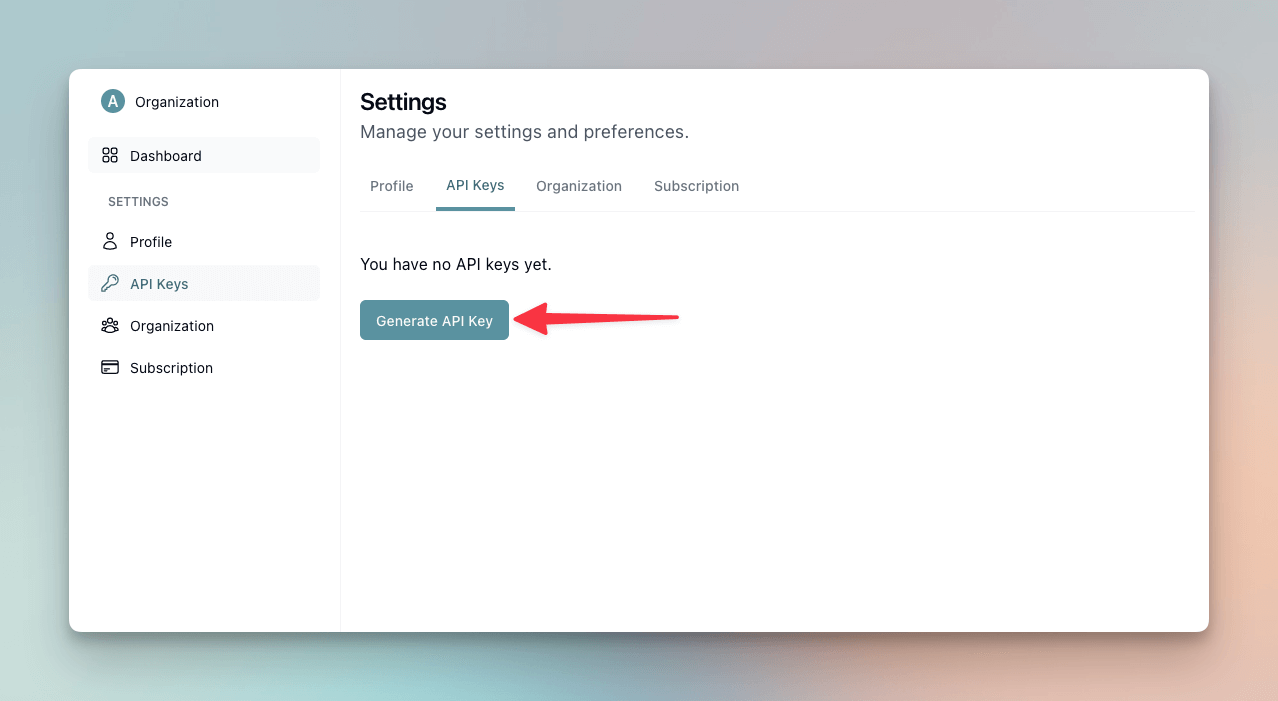
Use the key as a bearer token (Authorization: Bearer <API-KEY>) for every request. Keys are shown once at creation, so store them securely.
Step 3a: Model selection
- Ask AI Router for the decision, either with the Python SDK or TypeScript SDK (
get_best_model), or directly through the Decision API, which returns the ranked candidates with predicted quality, cost and latency. - Execute the request with the recommended model on your own infrastructure.
- Report the actual token usage of that call through the usage report API. This keeps your usage, savings reports and billing based on measured data instead of estimates.
For full privacy mode, generate the embedding locally (the Python SDK does this for you) and send only the embedding; see Privacy Modes and the examples for Azure OpenAI and AWS Bedrock.
Step 3b: Model routing
- Connect the API keys of the providers you want AI Router to execute on under Settings → Provider Keys and switch on Execute on your own key for each of them. Models of providers you did not enable are not executed for your team. See Provider Keys.
- Point your existing client at AI Router: set the base URL to
https://api.airouter.ioand use your AI Router API key. This works with the OpenAI package, LangChain, LangChain.js, the Python SDK and any other OpenAI-compatible client. - Send requests with
model: "auto"(or your default model) and AI Router selects and calls the model for you. Usage is measured automatically; no reporting needed.
All request parameters, including the routing-specific ones, are listed in the chat completions reference.